

Desk Chair Leg Rest: Ergonomic Support for Long Hours at Your Desk
Most people invest in a good chair but overlook what happens below the seat. A desk chair leg rest closes the gap between your feet and the floor, turning a decent sitting setup into one that actually supports your entire body. Whether you work from a corporate office in Singapore or a home workstation, adding proper leg support can reshape how you feel after long hours at your desk.
Why a Desk Chair Leg Rest Matters for Ergonomic Support
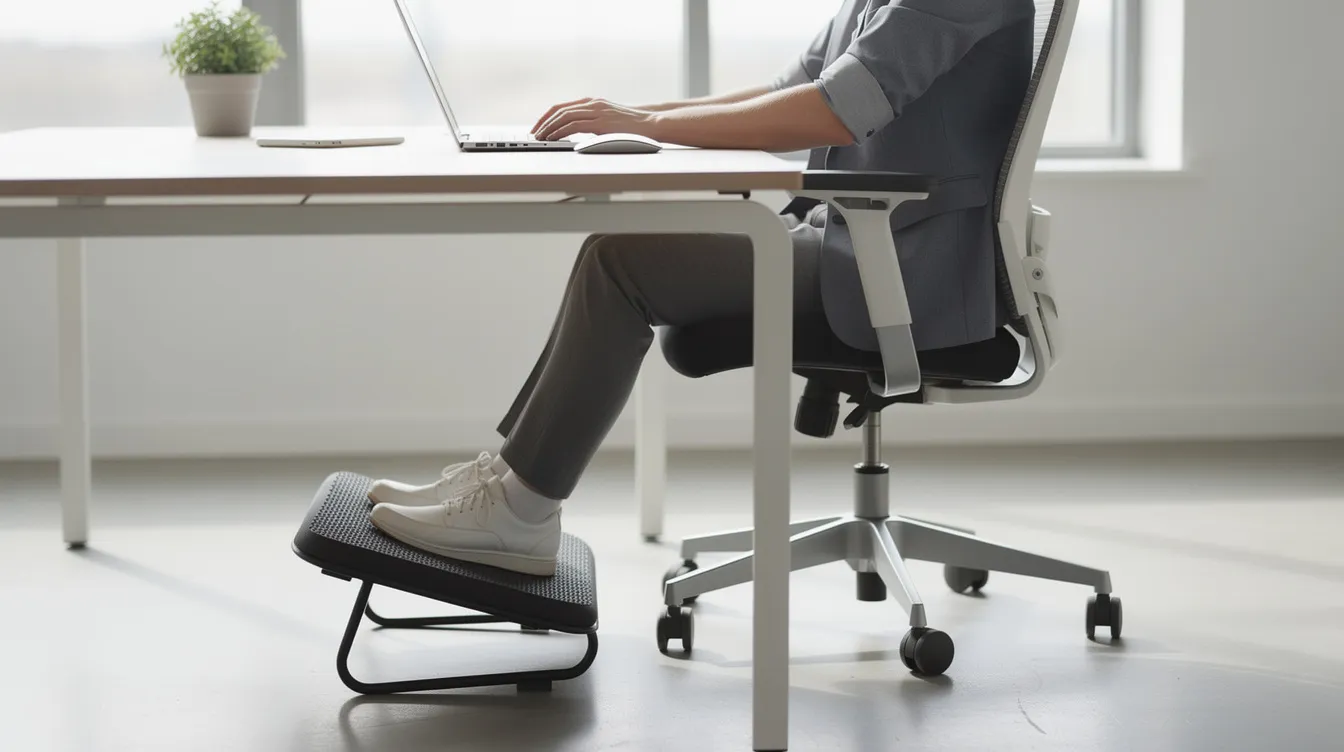
A leg rest complements an ergonomic office chair by addressing a problem most people don't notice until discomfort sets in: when seat height is raised to match desk and elbow requirements, shorter individuals and even average-height users often end up with feet dangling or thighs pressed against the seat edge. A desk chair leg rest fills that gap, restoring ergonomic support from the ground up. Under-desk leg rests support proper spinal alignment and improve posture while enhancing blood circulation. Using a leg rest can provide ergonomic benefits during long hours of sitting-here is why it matters:
- A leg rest can reduce lower back pressure by promoting a neutral spinal alignment, reducing strain on the spine and surrounding muscles
- Footrests improve posture by elevating knees at or just above hip level, encouraging proper pelvic tilt and backrest contact
- Supports feet and lower legs to reduce pressure on thighs, preventing numbness and swelling
- Enhances blood flow by keeping the lower body properly positioned, minimizing risk of fluid pooling in the legs
- Integrates with modern ergonomic chair setups-Ergoworks designs leg-rest solutions that work alongside standing desks, monitor arms, and office chairs for a complete workspace
Health Benefits: Posture, Blood Circulation, and Overall Comfort
Elevating the legs slightly and keeping knees at or just below hip height supports a neutral spine posture that reduces fatigue over extended periods. Research shows that footrest use increases contact between the pelvis and chair backrest, improving lumbar support and reducing forward trunk lean. Conversely, prolonged sitting without leg support flattens the lumbar curve and increases physical discomfort-a study of seated computer work found that leg volume can increase by approximately 38.2 cm³ in just 90 minutes of static sitting due to fluid pooling.
Here are the concrete health benefits, grouped by category:
Posture
- Footrests can reduce strain on the back and muscles by maintaining a seated position where hips stay slightly above knees
- A leg rest can alleviate pressure behind the thighs when seated too high, preventing nerve compression
- Improper chair height can cause nerve compression and cut off circulation in the thighs-a footrest corrects that mismatch
Circulation
- Footrests promote better blood circulation while seated by preventing dangling feet
- Elevating or supporting the legs helps prevent blood pooling in the lower extremities
- Elevating legs can help counteract gravity and improve blood flow back toward the heart
- Active foot movement on footrests enhances blood flow to the heart through calf-muscle engagement
- Footrests help prevent deep vein thrombosis during prolonged sitting
- Elevating legs reduces risk of varicose veins and edema over time
Comfort
- Office workers who sit long hours on computers report less fatigue and more consistent focus with proper leg support
- Relief from pins and needles, numbness behind the knees, and lower back strain translates to better productivity across the workday
Types of Desk Chair Leg Rests and Under‑Desk Supports
Not every leg rest suits every user or workstation. Here is a quick overview of the main categories and who they work best for:
- Built-in chair leg rest - A retractable or foldable platform integrated under the seat, common in ergonomic office chair and gaming chair models. Best for users who recline during breaks or need to extend their legs for relaxation without a separate accessory. These should not block casters or impede chair movement when stowed.
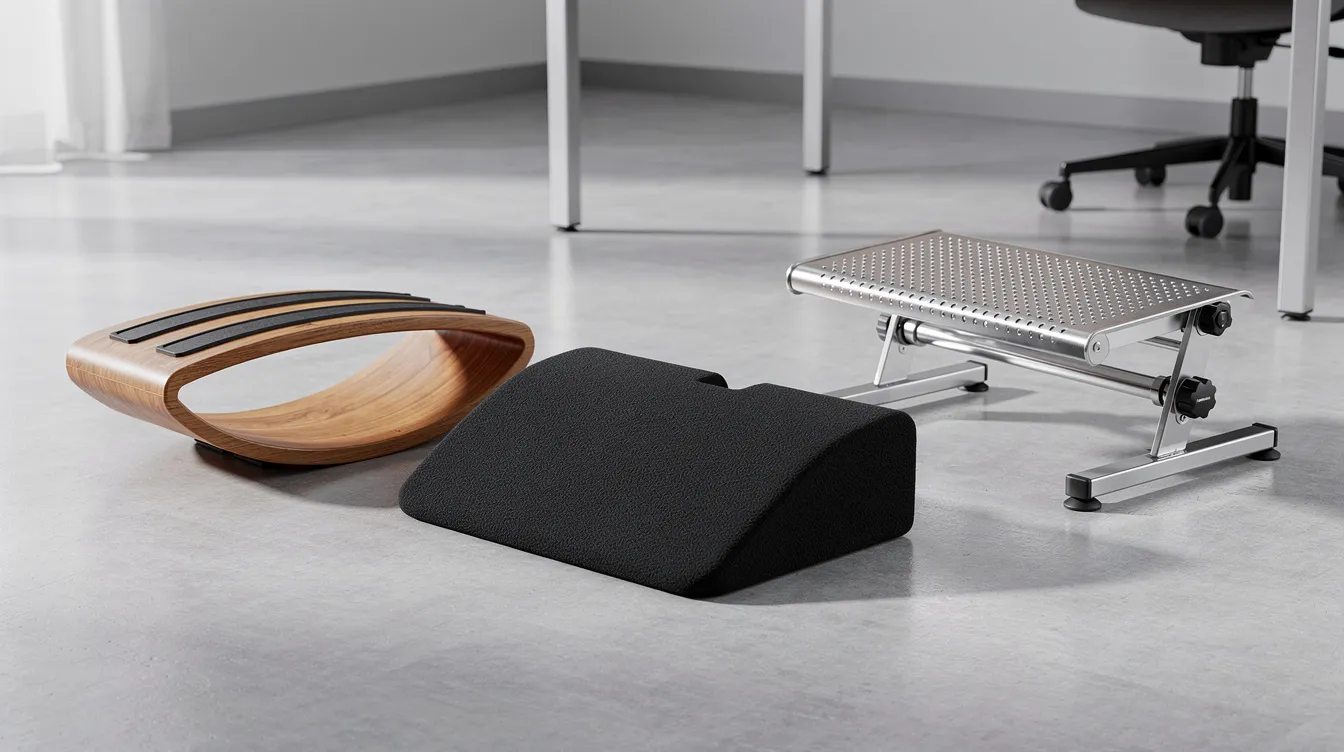
- Standalone under-desk footrest - A platform or angled wedge placed on the floor beneath your desk. Ideal for shared workstations, hot-desking environments, and users with height-adjustable desks. Easy to reposition and accommodates a range of leg positions, with options such as the Fellowes Footrest FW-48121 providing practical under-desk support.
- Foam leg cushion or wedge - Cushioned footrests are ideal for relaxing or foot pain relief. Portable footrests in this category are lightweight and easy to move between home and office, offering excellent portability for hybrid workers.
- Rocking or tilting footrest - Rocking footrests keep legs active during long sitting sessions by encouraging ankle movement and active sitting. Dynamic footrests allow for subtle movements that keep leg muscles active, boosting circulation without conscious effort. Massaging footrests in this category promote circulation and alleviate discomfort through textured or vibrating surfaces.
A leg rest can help customize fit for shorter individuals who cannot reach the floor comfortably. When purchasing, check compatibility with your chair base-built-in rests work well with recline-heavy models, while standalone ergonomic footrests pair better with standard office chairs used across Singapore offices.
Key Features to Look For in a Desk Chair Leg Rest
Before purchasing your next leg rest, run through this checklist to ensure it meets your individual needs:
- Height adjustability - Footrests should have adjustable heights from 2 to 5 inches. Choose a leg rest with features like height adjustability for ideal support during use, so you can match it to your chair and proper height requirements. Adjustable footrests allow customization for individual comfort needs across different users and desks.
- Tilt angle - Footrests can tilt at angles between 0° and 30°. Adjustable tilt promotes comfortable positioning of the ankles and knees. An adjustable angle on a leg rest promotes active movement and reduces stiffness, encouraging stretching and gentle repositioning throughout the day.
- Surface design - Footrests should have a non-slip surface for stability. Look for textured surfaces or anti-slip channels that keep feet in place. Cushioned tops crafted from memory foam suit users seeking comfort, while wood or hard-plastic surfaces offer durability. In humid climates, breathable and easy-clean materials matter.
- Ergonomic contouring - Ergonomic contouring of a footrest distributes pressure evenly across the feet. A leg rest should allow for a slightly open knee angle to avoid excessive bending. Footrests should promote a stable position for the whole foot rather than just the toes.
- Surface area - The ideal footrest surface area is 38 cm by 28 cm, providing enough room to accommodate both feet without feeling cramped.
- Build quality and weight capacity - Sturdy footrests are important for long-term durability and usability. A footrest should support a weight capacity of at least 25 kg. Look for steel or reinforced plastic frames made from the highest quality materials to avoid sagging over months of daily use.
- Stability - Non-slip bases on footrests prevent sliding and provide stability on various surfaces. A wide base with rubber pads ensures the rest stays in position under your desk. Footrests should not crowd knees or interfere with chair movement under a desk.
- Movement features - Rocking or tilting designs encourage active sitting and gentle leg movement to improve blood circulation, keeping muscles engaged without distraction.
Adjustable footrests enhance comfort during long sitting sessions-prioritize models that let you adjust both height and angle independently.
How to Set Up Your Office Chair and Leg Rest Correctly
Getting a leg rest is only half the equation. Proper setup determines whether it actually improves your posture or creates new problems. OSHA recommends support for feet when sitting for long periods to alleviate discomfort. Follow this sequence:
- Start by adjusting your chair height so elbows sit level with your desk surface and forearms rest parallel to the floor-this is the non-negotiable starting point
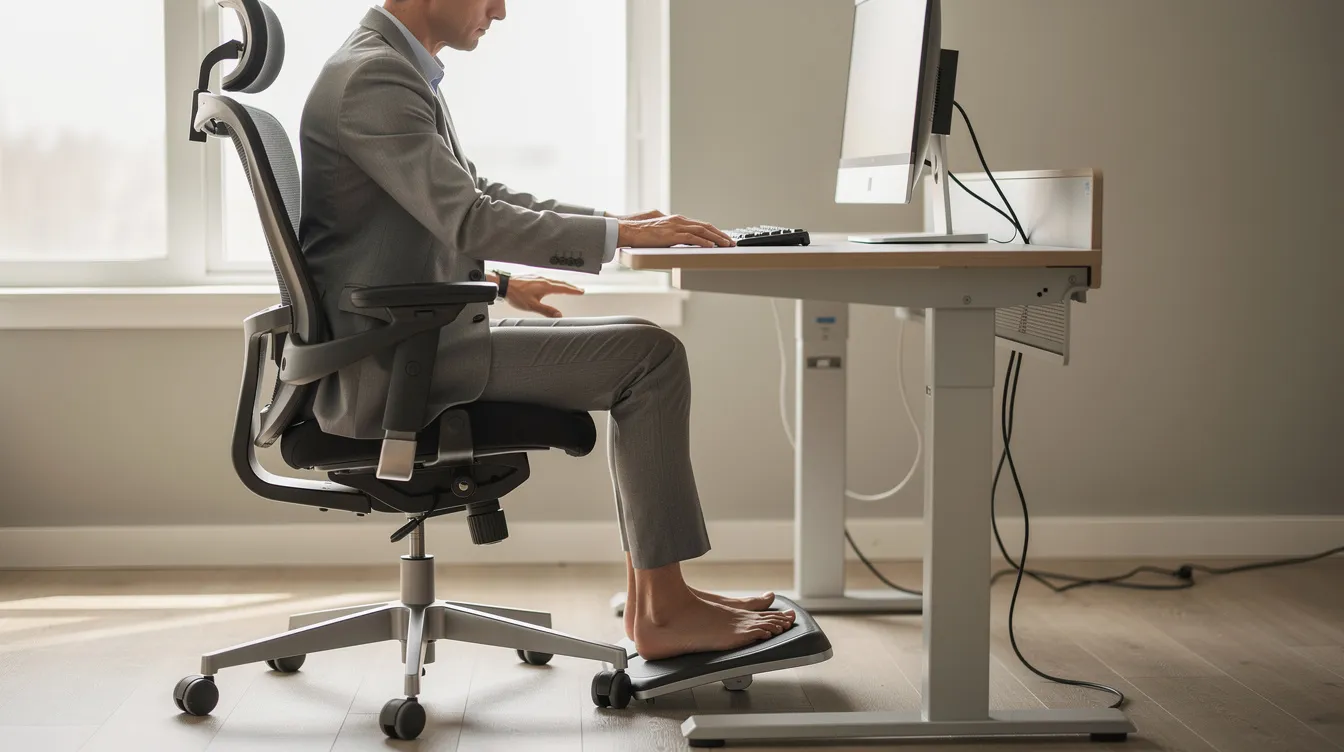
- If this adjustment leaves your feet off the floor, place your leg rest beneath the desk so both feet can rest flat, with knees at roughly 90° and hips slightly higher than knees
- Adjust the footrest angle so heels and the balls of your feet share contact with the surface-avoid tilting so steeply that only toes touch
- Measure the room under your desk before finalizing position; ensure the leg rest does not block chair wheels, impede swivel, or create a tripping hazard when you stand
- Keep shoulders relaxed while typing-if you find yourself hunching, recheck your chair height and leg rest position together
- For fixed-height desks or shared workstations, a standalone adjustable footrest is the most flexible option; for hot-desking, consider a portable model with good portability
- Changing positions by using a leg rest is recommended to reduce monotony and fatigue-alternate foot placement and take standing breaks every 30–60 minutes to keep your body comfortable
Who Benefits Most from a Desk Chair Leg Rest?
Almost anyone who sits for extended periods can benefit, but certain profiles gain the most from proper leg support:
- Office workers, call-centre agents, and designers who sit 6–10 hours daily and need relief from strain and fatigue to maintain focus
- Shorter users (under 160–165 cm) whose feet do not reach the floor when the chair is at proper height-a leg rest fills the gap and restores comfortable, stable ergonomics
- People with lower back pain, knee pain, or circulation issues such as varicose veins, swelling, or numbness who need extra lower body support to manage discomfort
- Hybrid and remote workers who split time between home and corporate offices-using the same ergonomic principles in both locations keeps the body aligned and reduces pain
- Organizations in Singapore running workplace wellness or WSH compliance programs-many Ergoworks corporate clients adopt footrests as part of broader ergonomic solutions for healthier and more productive workdays, reducing MSD claims and improving productivity across the workspace by leveraging Ergoworks' corporate ergonomic solutions.
Ergoworks Approach: Integrating Leg Rests into Complete Ergonomic Workspaces
- We do not view a leg rest as a standalone gadget. It is one component in a full ergonomic workstation that includes an ergonomic chair, a height-adjustable desk, and monitor arms-all working together to support your body from head to feet.
- Our ergonomic advisory services use Ai Posture Analysis to identify mismatches in seated posture, including gaps at the feet, incorrect knee angle, and thigh-pressure points. In many cases, adding a footrest resolves measurable issues without the cost of replacing an entire chair. Download the app to see how your posture scores before and after adjustments.
- For B2B clients, we provide bulk procurement options: chairs with built-in or retractable leg rests, under-desk ergonomic footrests for shorter staff, and shared standalone models. Every solution is crafted to accommodate the specific needs of your workforce.
- We back every project with on-site assessment in Singapore, ergonomic talks covering posture and blood circulation education, WSH compliance checking, and end-to-end delivery and installation. Our goal is to help you relax knowing that every workstation in the room meets the standard your team deserves.
A well-chosen desk chair leg rest is one of the simplest upgrades you can make to protect your posture, circulation, and daily comfort. If you are ready to build a workspace that works for your body, reach out to Ergoworks for a complimentary ergonomic assessment-or explore our full range of chairs, footrests, and standing desks to get started.