

Ergonomic Talks and Posture Checks: A Practical Guide for Modern Workplaces
Introduction: Why Ergonomic Talks and Posture Checks Matter in 2026
Hybrid work is now the default across Singapore and much of Asia. Employees split their time between home offices and corporate desks, often spending long hours at computer workstations that were never properly set up. The result is a wave of back pain, neck pain, and shoulder discomfort that shows no sign of cresting.
The numbers tell the story clearly. Approximately 34% of office workers experience lower back pain annually. A recent survey found that 65.16% of workers reported physical discomfort last year. Musculoskeletal disorders are a leading cause of workplace absenteeism, and the trend is not limited to adults - 1 in 5 school-age children now experience back pain, hinting at a generational posture problem. Poor posture can lead to chronic musculoskeletal conditions that follow employees through their entire careers if left unaddressed.
So what can organisations actually do? Two interventions sit at the core of any proactive response: ergonomic talks and posture checks.
- Ergonomic talks are structured educational sessions, typically 60–90 minutes, that teach teams about posture science, risk factors, workstation setup, and micro-break strategies.
- Posture checks are short, individual assessments (10–15 minutes per person) where an expert evaluates sitting posture, workstation layout, and movement patterns, then provides immediate corrections.
- Ergoworks delivers both as part of its office ergonomics and corporate wellness programs, combining interactive talks, on-site checks, and AI posture analysis to give companies measurable, data-driven results.
What this article covers:
- What proper posture actually looks like and why it matters for occupational safety
- The most common posture mistakes in Singapore offices
- How ergonomic assessments, AI tools, and simple exercises can prevent pain
- A practical roadmap for weaving ergonomic talks and posture checks into your wellness strategy
What Is Proper Posture? (Foundation for Every Ergonomic Talk)
Every ergonomic talk starts with one fundamental question: what does proper posture actually look like? The answer goes far beyond "sit up straight."
- Standing: Ears stacked over shoulders, shoulders over hips, hips over knees, knees over ankles. Weight should distribute weight evenly across both feet. The natural curve of the spine - cervical, thoracic, lumbar - is preserved, not forced into a rigid line. Proper alignment reduces wear and tear on spinal discs and neck muscles during prolonged standing.
- Sitting: The 90-90-90 rule recommends joint angles of about 90 degrees when seated - at elbows, hips, and knees. Feet flat on the floor, hips slightly above or level with knees, shoulders relaxed, and appropriate lumbar support filling the curve of the lower back. The head stays in a neutral position directly above the shoulders, not jutting forward.
- Moving: Good posture is dynamic. Prolonged static loading can cause joint stiffness and micro-tears in muscles. The human body is built for movement, not for holding the same posture for hours on end.
Proper spinal alignment prevents undue stress on vertebrae. When the head drifts forward of the shoulders - a common pattern for office workers - the cervical spine bears two to three times more load than in neutral. That extra force accumulates over extended periods, leading to tension, disc compression, and pain.
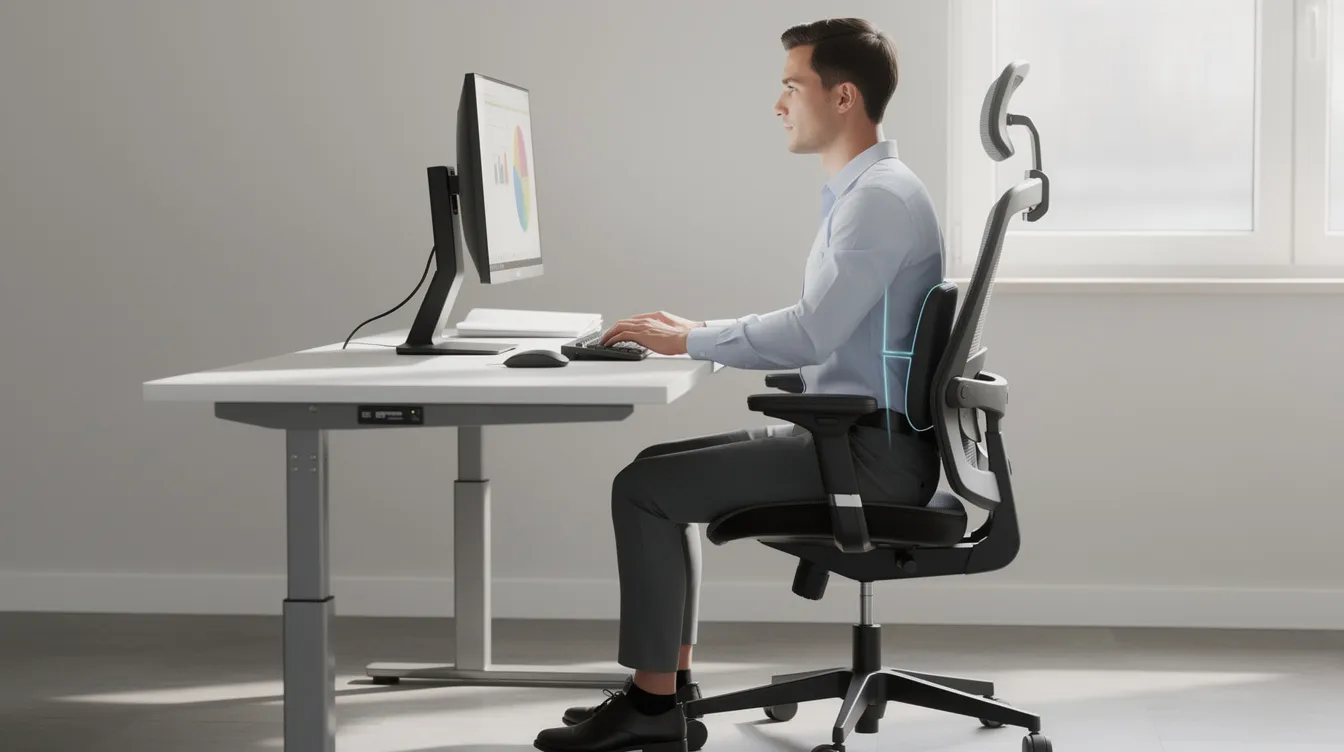
Good posture also enhances productivity and focus at work. Nonverbal communication is influenced by an upright posture which conveys confidence and authority, making it relevant not just for health but for self confidence in meetings and presentations.
"Standing straight" alone does not equal proper posture. Without alignment of ears, shoulders, hips, knees, and ankles, the body still compensates - and compensation leads to strain.
Consider two versions of an eight-hour spreadsheet shift. In version one, the monitor sits low on a fixed desk, the chair lacks lumbar support, feet dangle, and the keyboard is too far away - the employee's body posture degrades into a forward-head, rounded-shoulder slump within the first hour. In version two, the chair height is adjusted, a monitor arm raises the screen to eye level, and a footrest keeps knees at 90 degrees. The second employee can maintain proper alignment throughout the day with far less discomfort.
Common Workplace Posture Patterns We See in Singapore Offices
Posture checks across MNCs and SMEs in Singapore reveal the same patterns over and over. These are not rare edge cases - they are the norm for anyone spending prolonged periods at a desk without ergonomic guidance.
- Forward head: The neck jutting forward toward the screen, especially common among laptop users without a laptop stand or external monitor.
- Rounded shoulders: Shoulders protracted inward, upper back muscles stretched and weakened, chest tight.
- Slouched lower back: Loss of lumbar lordosis, pelvis tilting backward, spine flattened against the chair.
- Crossed legs: Creates hip asymmetry, shifts the spine laterally, and compresses nerves over time.
These patterns develop from predictable causes. Laptops force users to look down and hunch. Fixed-height desks that do not match the employee push the shoulders up or the back down. Long virtual meetings without breaks lock the body into one position for 60–90 minutes at a stretch.
A cross-sectional study in Singapore found that over 70% of working adults aged 21–67 reported non-specific neck and shoulder pain in the past year, with significantly higher rates among those averaging 5.37 hours of daily smartphone use compared to 4.46 hours for pain-free individuals. This is not just a local issue - approximately 35% of US employees work remotely full-time today, increasing ergonomic risks globally as home setups rarely match office standards. A sedentary lifestyle paired with poor workstation design creates a compounding risk that organisations cannot afford to ignore.

Types of Poor Posture Your Teams Should Recognise
A key objective of any ergonomic talk is helping employees recognise what poor working posture looks like - in themselves and in their colleagues. They do not need to become clinicians, but they do need to spot warning signs early.
- Forward head posture ("tech neck"): Head positioned in front of the trunk, increased cervical flexion. Linked to neck pain, tension headaches, and overloading of cervical discs.
- Rounded shoulders / thoracic kyphosis: Shoulders rolled inward, upper back curved. Leads to mid-back discomfort, shoulder discomfort and potential impingement, and reduced breathing capacity. Good posture enhances breathing and vocal projection without vocal cord strain - kyphosis does the opposite.
- Swayback: Hips pushed forward, upper body leaning back. Causes lower back pain, hip flexor tightness, and difficulty maintaining balance during standing tasks.
- Flat back: Reduced lumbar curve, posterior pelvic tilt. Results in fatigue, reduced shock absorption, and limited spinal mobility.
- Asymmetrical sitting: Twisting, leaning to one side, or crossing legs. Creates uneven load across the spine, hips, and joints, with an increased risk of nerve compression.
Beyond musculoskeletal health, posture affects performance in surprising ways. Maintaining posture minimizes lactic acid buildup and muscle tension during speaking. Ergonomic practices reduce vocal strain and enhance diaphragm movement, which is directly relevant for anyone who presents, facilitates workshops, or leads meetings.
Employees should pay attention to recurring discomfort, stiffness after sitting, or uneven wear patterns on shoes and chairs. These are signals that warrant a closer look through proper ergonomic assessments - not self-diagnosis, but self-awareness.
How Office Ergonomics Supports Good Posture and Occupational Safety
Office ergonomics means matching the workstation, tools, and tasks to the person - not the other way around. At its core, ergonomics designs work environments around human capabilities to prevent musculoskeletal problems before they start.
In Singapore, this is more than a best practice. The Workplace Safety and Health Act requires employers to take reasonably practicable measures to ensure occupational safety and health, and the WSH Council's guidelines on workplace ergonomics - alongside Singapore Standard SS 514 for office ergonomics - provide a clear compliance framework.
Here is what good office ergonomics looks like in practice:
- Ergonomic chairs with adjustable seat height, seat depth, tilt, armrests, and lumbar support let each employee find their neutral position. Ergonomic furniture minimizes physical strain and discomfort.
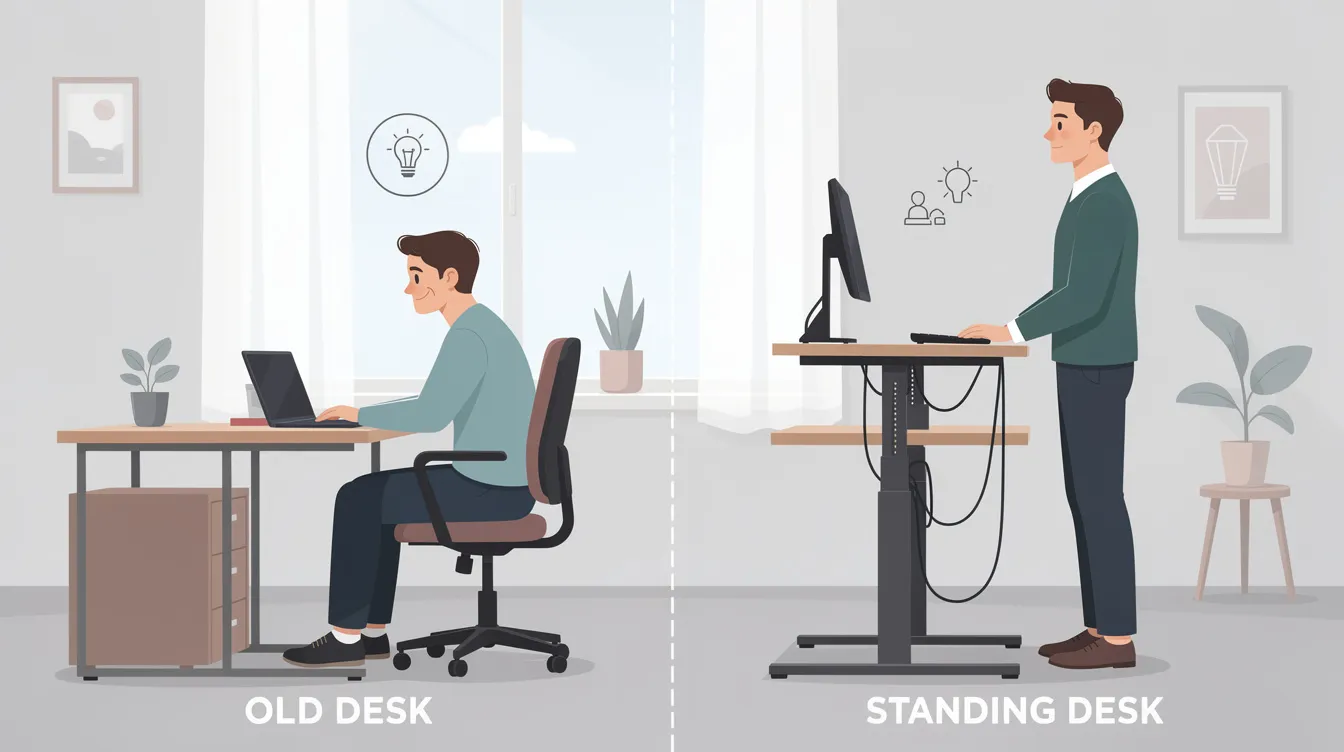
- Height-adjustable standing desks allow alternation between sitting and standing. Adjustable desks can promote better posture and spinal alignment by enabling employees to change position throughout the day.
- Monitor arms raise screens so the top is at or slightly below eye level. Computer monitors should be positioned at or slightly below eye level to prevent cervical spine strain.
- Accessories like footrests, document holders, and wrist supports fill the gaps that standard desks leave behind, and integrated ergonomic workspace solutions for modern enterprises ensure these elements work together to support posture and productivity.
Simple layout adjustments - adjusting desk height, keeping the keyboard close so upper arms hang naturally with elbows at roughly 90 degrees, placing frequently used items within arm's length - can dramatically reduce pain and fatigue. Proper workstation setup can reduce the risk of musculoskeletal disorders, often without any major investment.
Inside an Ergoworks Ergonomic Talk: What Employees Learn
A typical Ergoworks ergonomic talk runs 60–90 minutes and is delivered on-site or virtually to corporate teams. The format is designed to be practical, interactive, and immediately applicable.
Core content pillars:
- Posture science basics - what neutral spine alignment means, why it matters, and what happens to muscles, discs, and joints when it is lost
- Risk factors for musculoskeletal issues - prolonged sitting, repetitive strain injuries, static loading, and the effects of non-adjustable furniture
- Live demonstrations of good posture for sitting, standing, and transitioning between the two
- The "micro-break" routine - movement prompts every 30 to 45 minutes to prevent muscle strain and keep the body from locking into a single position. Incorporating task variation and breaks minimizes reliance on a single posture throughout the day.
Interactive elements:
- Real-time posture corrections where the facilitator adjusts participants' sitting posture and explains why each change matters
- Q&A focused on common complaints: back pain, neck stiffness, eye strain, and wrist discomfort
- Quick ergonomic "audits" of participants' computer workstations - done via webcam for virtual sessions or live walkthroughs for in-person events
- Good posture during presentations prevents physical strain and engages the audience, so talks also cover how presenters and facilitators can maintain their own posture during long sessions. Frequent movement and posture changes prevent muscle fatigue during long presentations.
Content is localised for Singapore and Asia-based organisations, addressing common realities like open-plan layouts, hot-desking, hybrid schedules, and the prevalence of laptops as primary work devices, including how acoustic meeting pods for focused work and collaboration can complement ergonomic workstation design. Engaging with ergonomic practices can reduce tension and improve overall effectiveness during presentations and daily work alike.
What Happens During a Posture Check Session?
A posture check is a short one-to-one consultation - typically 10–15 minutes per employee - conducted at their desk or in a dedicated assessment room. Regular posture checks prevent discomfort and ensure workspace suitability for users.
Step-by-step flow:
- Quick history: The assessor asks about current discomfort - back pain, neck stiffness, headaches, numbness in hands or legs - and how long the employee has been at their current workstation.
- Visual assessment: The assessor observes the employee's natural sitting posture, noting head position, shoulder alignment, spinal curvature, and leg placement. Ergonomic assessments identify risk factors for discomfort and injury that may not be obvious to the employee.
- Workstation review: Chair height, monitor height, keyboard and mouse position, desk height, and reaching patterns for frequently used objects are all evaluated. Ergonomic assessments identify workstation risk factors for employees and flag areas of concern.
- Simple movement tests: Range of motion in the neck, shoulders, and lower back to spot restrictions or imbalances.
- Immediate adjustments: The assessor makes on-the-spot corrections - raising a monitor, adjusting chair height, repositioning the keyboard - and explains why each change helps.
Employees leave with two to three personalised recommendations. Ergonomic assessments provide tailored recommendations for workstation modifications, such as adding a footrest, repositioning the screen, or switching to a specific stretch routine. Using ergonomic self-assessment checklists can help assess chair height and keyboard distance between formal check sessions, keeping the improvements alive.
Leveraging AI Posture Analysis and Modern Ergonomic Assessments
Traditional ergonomic assessments - like RULA and REBA scoring - rely on trained observers rating joint angles and posture against standardised checklists. They are effective but time-consuming, especially for large teams. AI posture analysis changes the equation.
How it works:
- A camera captures the employee at their workstation. AI-based human pose estimation calculates joint angles - neck flexion, shoulder protraction, trunk inclination, knee angle - and maps them against ergonomic risk thresholds.
- Results are generated in seconds, giving both the employee and the assessor objective, visual feedback on where their body posture deviates from neutral.
- Ergoworks combines these AI tools with expert review, using traditional RULA/REBA-style checklists alongside automated analysis for a more complete picture.
Benefits for organisations:
- Faster screening: a team of 50 can be assessed in a fraction of the time required for manual-only checks
- Data-driven reports that HR and HSE teams can use to benchmark posture improvement over months
- Real-time assessments can prevent musculoskeletal injuries effectively by catching high-risk positions before they become habits
- Routine ergonomic checks prevent musculoskeletal strain and reduce fatigue across the workforce
Limitations to be aware of: Camera angle, lighting, and occlusion can affect accuracy. A systematic review of 35 studies on human pose estimation tools found agreement rates ranging from 37% to 97% depending on the environment and algorithm. Force measurement and duration tracking are typically absent from camera-based tools. This is why expert review remains essential - AI screens, humans interpret.
Practical Posture Checks for Computer Workstations
Every ergonomic talk should leave participants with a simple self-check routine they can perform weekly at their desk. Periodic self-checks and audits help identify and correct poor posture in the workplace before discomfort becomes chronic.
Seated posture checklist:
|
Body area |
What to check |
Target position |
|---|---|---|
|
Feet |
Flat on floor or footrest |
Provide stability; no dangling |
|
Knees |
Roughly 90° angle |
Parallel to the floor or slightly below hips |
|
Hips |
Slightly above or level with knees |
Maintain the natural curve of the lumbar spine |
|
Lower back |
Lumbar support engaged |
Chair fills the curve; no gap |
|
Shoulders |
Relaxed, not elevated |
Shoulders dropped, upper arms hanging naturally |
|
Elbows |
Approximately 90° |
Forearms parallel to the floor |
|
Wrists |
Neutral, not bent |
Flat or slightly declined on keyboard |
|
Monitor |
Top of screen at eye level |
Head in neutral position, no forward lean |
Tips for laptop-heavy roles:
- Use a laptop stand to raise the screen and pair it with an external keyboard and mouse - this single change eliminates the forced hunch that causes forward head posture
- Using an elevated screen helps maintain spinal alignment and reduces neck strain
- Keep the screen about an arm's length away (roughly 50–70 cm)
Environmental checks:
- Adjust lighting to reduce glare on the screen and prevent eye strain
- Place frequently used objects - phone, water, documents - within easy reach so the body does not need to twist or overextend
Simple In-Office Exercises to Reinforce Good Posture
Ergonomic talks are most effective when paired with easy movement routines employees can do at their workstation in under five minutes. Performing posture exercises daily can significantly improve alignment and reduce the accumulation of strain from maintaining good posture throughout the work day.
- Chin tucks (for forward head / tech neck): Sit tall, gently draw the chin straight back as if making a "double chin," hold for 5 seconds, repeat 10 times. Chin tucks help align the head and neck properly by retraining the deep cervical flexors.
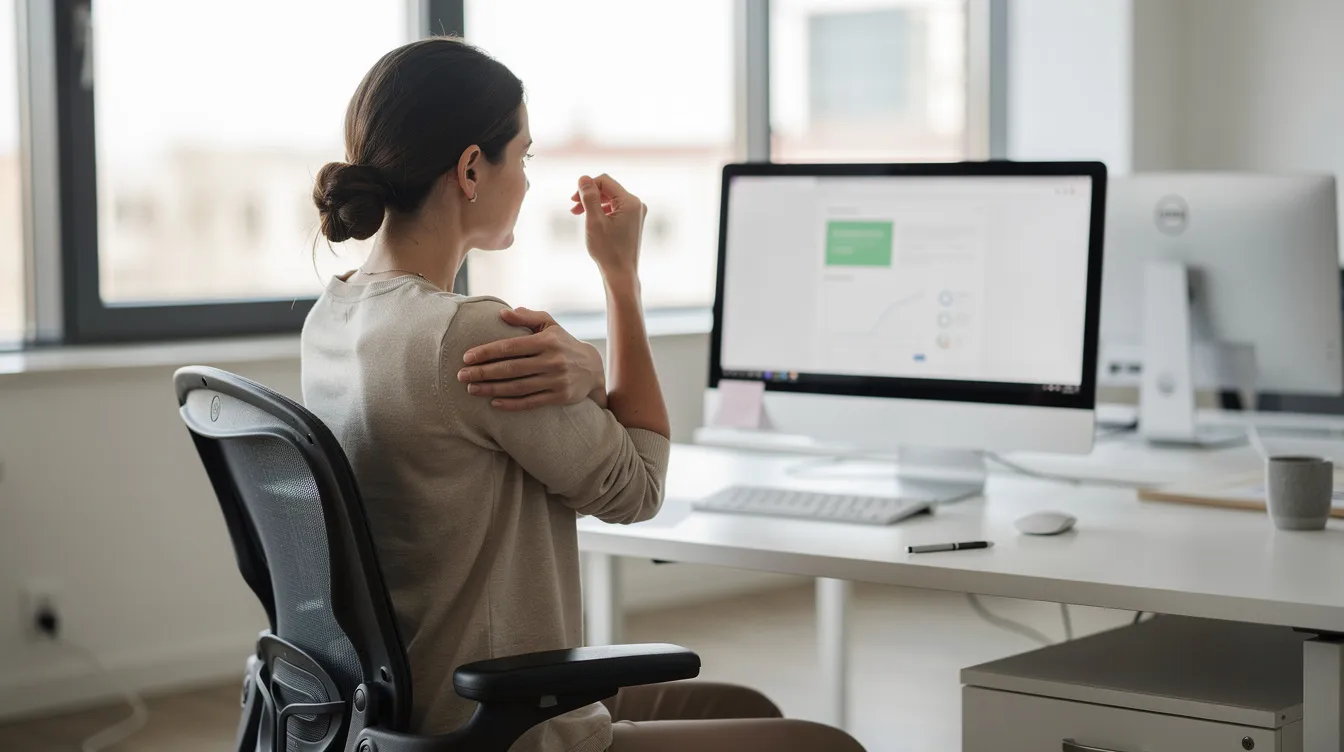
- Shoulder rolls (for rounded shoulders): Roll shoulders up, back, and down in slow circles, 10 times forward and 10 times backward. Shoulder rolls improve upper body posture and reduce tension in the upper back muscles and traps.
- Seated spinal extension (for slouched lower back): Place hands on the lower back, gently arch backward, hold for 5 seconds. Relieves compression on lumbar discs.
- Desk stretches (for chest and upper back tightness): Clasp hands behind the back, squeeze shoulder blades together, open the chest. Desk stretches can alleviate tension in the chest and upper back that builds up from prolonged periods of keyboard work.
- Hip flexor stretch (for lower back pain from sitting): Stand, step one foot forward into a gentle lunge, keep the back leg straight, hold 20 seconds each side. Directly addresses tightness from hours of hip flexion.
- Core activation (for spinal stability): While seated, engage the abdominal muscles as if bracing for a light push, hold for 10 seconds, release. Core engagement exercises strengthen abdominal muscles for better posture and provide stability for the spine throughout the day, especially when used alongside a sit-stand workstation with integrated monitor and keyboard adjustment.
Encourage companies to schedule "movement minutes" every 30–45 minutes during long training days, town halls, or quarterly posture check campaigns. Even 60 seconds of movement resets muscle tension and re-engages focus.
Integrating Ergonomic Talks and Posture Checks into Corporate Wellness
The organisations that see lasting results are the ones that treat ergonomic talks and posture checks as ongoing programs, not one-off events. Here is how companies typically structure integration:
Program models:
- One-off Ergonomic Awareness Day: A single interactive talks session paired with posture checks for a department. Good for building initial awareness.
- Quarterly posture check clinics: Scheduled assessments every three months, allowing tracking of improvement and catching new risk factors as roles or workstations change.
- Year-long initiative: Combines talks, AI posture assessments, workstation upgrades (ergonomic chairs, standing desks, monitor arms), sound-controlled spaces such as a rental soundproof acoustic meeting pod for private work and calls, and ongoing micro-break reminders into a cohesive well being program. This model delivers the strongest measurable outcomes.
Measurable outcomes companies report:
- Reduced back pain and musculoskeletal complaints across departments
- Lower absenteeism - musculoskeletal disorders are a leading cause of workplace absenteeism, and targeted intervention directly addresses this
- Improved employee satisfaction scores and retention
- Higher productivity in computer-intensive roles where pain and discomfort previously degraded focus
- Reduced healthcare costs over time as preventive measures replace reactive treatment
Approximately 35% of US employees work remotely, increasing ergonomic risks - and similar patterns exist across Asia's hybrid workforces. Organisations need to extend ergonomic support beyond office walls, covering home office setups with virtual assessments and furniture procurement. A risk assessment that includes home workstations closes a gap most companies still leave open.
Ergoworks supports HR, HSE, and facility teams with planning, logistics, and post-event reporting so the return on investment is documented and defensible.
How Ergoworks Can Support Your Ergonomic Roadmap
Ergoworks is a Singapore-based specialist in ergonomic office furniture, acoustic pods, workspace design, and professional ergonomic advisory services. The company works with both enterprises and individuals to create environments where maintaining good posture is the path of least resistance.
Relevant offerings for this topic:
- Ergonomic talks (on-site and virtual) tailored to your team's size, industry, and workplace layout
- On-site and virtual posture checks with personalised recommendations
- AI posture analysis for scalable, data-driven screening
- Full ergonomic assessments for offices and home offices
- Ergonomic office fit-ups: end-to-end workspace design, furniture procurement, and installation
- Product range: ergonomic chairs with adjustable lumbar support, height-adjustable standing desks, mobile workstations, monitor arms, soundproof solutions like an XL acoustic office pod for 6 to 8 people, and accessories
Every advisory engagement connects directly to concrete solutions. A posture check that flags poor monitor height leads to a monitor arm installation. A talk that reveals widespread slouching leads to chair upgrades with appropriate lumbar support. Assessment data justifies the investment.
Next steps:
- Contact Ergoworks to schedule a pilot ergonomic talk for a single department
- Request a bulk procurement catalogue for regional offices
- Ask about free product installation and corporate pricing for standing desks and ergonomic chairs
Conclusion: Building a Culture of Posture Wellness
Good posture is a daily habit, not a one-time correction. Ergonomic talks and posture checks are among the most practical and cost-effective starting points for building that habit across your organisation.
The benefits compound: healthier employees, fewer musculoskeletal claims, better focus, lower healthcare costs, and a stronger workplace safety culture. When you consider that 34% of office workers experience lower back pain annually - and that proper workstation setup reduces the risk of musculoskeletal disorders - the case for action is clear. Good posture enhances overall health, overall well being, and even the lead your organisation takes in employee care.
Your next steps:
- Schedule a pilot ergonomic talk for one team or department and measure the response
- Run a small posture check roadshow to identify the most common risk factors in your office
- Pair education with ergonomic furniture upgrades to lock in the gains
- Extend the program to home offices and hybrid workers for complete coverage
Start with one session. Let the data - and your employees' feedback - guide what comes next.