

Sit-Stand Guidance: How to Use Height Adjustable Desks Effectively
If you spend most of your workday at a desk in Singapore, you already know that nagging stiffness in the neck or lower back by 3 p.m. Using a sit-stand desk effectively requires alternating postures and proper ergonomic alignment - yet most people never receive clear instructions on how to do either. This guide gives you everything you need: the right ratios, the right desk height, the right posture habits, and a practical rollout plan whether you are setting up a single home office workstation or deploying hundreds of desks across a corporate floor.
Quick Start: How to Use a Sit-Stand Desk Today
You do not need to overhaul your entire routine on day one. Alternating between sitting and standing is more beneficial than remaining in one posture for extended periods, and even standing for 5 to 15 minutes every hour is beneficial. Here is how to start right now.
Starter routine (week one):
- Stand for 20–30 minutes, then sit for the rest of each hour. This gives you a comfortable 1:2 sit-stand ratio.
- Build up gradually over 2–3 weeks until you reach roughly equal sitting and standing time.
Set your desk height correctly:
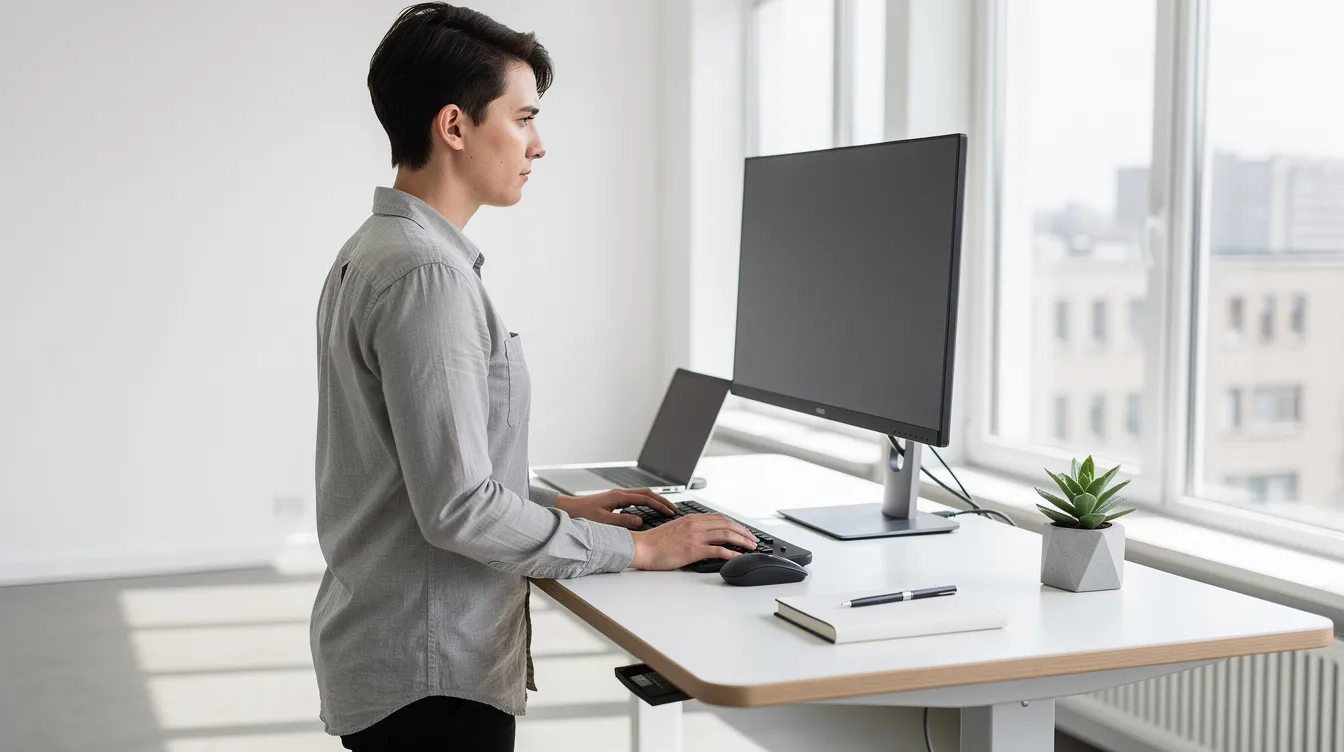
- Adjust the desk so your elbows are at a 90-degree angle when typing, whether sitting or standing.
- Wrists should stay straight and neutral - no bending up or down.
- Keep the monitor top at or just below eye level.
Programme your presets:
- Save at least 2–3 memory positions on your electric height adjustable control panel: one for seated work, one for standing, and optionally a "focus" position if you use a different keyboard angle for deep work.
- Electric standing desks can store up to four height presets, so take advantage of all of them if your model supports it.
- Height-adjustable desks help reduce back and neck strain by letting you lock in the correct position and return to it instantly.
Ergoworks' Signature Standing Desk Lite comes with programmable presets and a height range of 600–1250 mm, making this routine straightforward from assembly onward.
Why Sit-Stand? Health Risks of Prolonged Sitting and Standing
Prolonged sitting is now one of the most studied occupational health risks. Here is what the evidence shows:
- Sitting for 8–10 hours a day is linked to a higher risk of cardiovascular disease, Type 2 diabetes, obesity, and elevated mortality - even if you exercise outside of work. A meta-analysis of over one million people found the risk comparable to smoking.
- Standing desks can lower the risk of heart disease, and alternating between sitting and standing can improve circulation throughout the day.
- Standing burns more calories than sitting, and over weeks this can meaningfully reduce the risk of obesity and weight gain.
- Standing encourages movement and improves circulation, while using standing desks can lower blood sugar levels after meals.
- Standing desks can reduce back and neck pain - relevant in Singapore, where a study of 324 office workers found 73.4% reported musculoskeletal pain in at least one body part.
- Standing desks help reduce risks associated with prolonged sitting and standing improves blood circulation and reduces swelling in the lower limbs.
But standing all day is not the answer either.
Prolonged standing can cause foot pain, lower-back fatigue, and leg swelling. Singapore's Ministry of Manpower notes that standing for more than four hours continuously may lead to swollen feet and weakened muscles. The whole point of sit-stand guidance is regular posture change - not swapping one static position for another.
Ideal Sit-Stand Ratios and Daily Routines
Most office workers do well with a 1:1 or 2:1 sit-stand ratio spread across the day, rather than standing all morning and sitting all afternoon. A good baseline ratio is one hour standing to two hours sitting, especially for beginners. One common guideline is to switch standing and sitting every 30 to 60 minutes.
Beginner routine (week 1):
- 20 minutes standing / 40 minutes sitting per hour.
Intermediate routine (weeks 2–3):
- 30 minutes standing / 30 minutes sitting.
Advanced routine:
- 40–45 minutes standing / 15–20 minutes of active sitting or walking.
- Gradually building standing time over weeks can help improve endurance without soreness.
The 20-8-2 Rule is another practical framework: sit for 20 minutes, stand for 8 minutes, and move for 2 minutes every half hour. It keeps transitions frequent enough to prevent stiffness.
Align posture with tasks:
- Task-based posture adjustments can improve comfort and productivity. Use standing positions for phone calls, virtual meetings, and creative brainstorming.
- Best practices recommend sitting during tasks requiring high concentration, like detailed spreadsheet work or intensive coding.
- Building a daily movement routine - including micro-walks and stretch breaks - can alleviate fatigue during long work hours.
Reinforce the habit:
- Using transition alerts or reminders can aid in changing positions regularly. Many electric standing desk controllers include built-in health-coach timers.
- Regular movement and posture variation are critical for productivity and comfort across the full workday.
- Advise managers to encourage, not police, sit-stand use. Flexibility based on individual comfort and health conditions makes sense for sustainable adoption.
How High Should the Desk Be? Practical Height Guidelines
Formulas give you a starting point, but individual body proportions - torso length versus leg length - still matter. Fine-tune after using these rules of thumb.
Standing desk height:
- Standing desk height ≈ your height (cm) × 0.62.
- Then adjust so forearms are parallel to the floor and elbows are at roughly 90°.
Seated desk height:
- Seated desk height ≈ your height (cm) × 0.25 as a starting reference, then fine-tune with your chair so feet are flat and thighs are horizontal.
Quick reference for common heights in Singapore:
- 155 cm tall → standing desk surface at ~96 cm; seated surface ~60–65 cm.
- 170 cm tall → standing desk surface at ~105 cm; seated surface ~62–67 cm.
- 185 cm tall → standing desk surface at ~115 cm; seated surface ~70–75 cm.
Visual checkpoints:
Shoulders relaxed, not shrugged.
Elbows at ~90°, forearms parallel to the desk.
Wrists neutral and straight.
Keeping the monitor at eye level helps prevent neck strain in both positions.
- Many standing desks can adjust height from 64 cm to 128 cm - for instance, the Hinomi Smart Desk adjusts height from 64 cm to 128 cm. Ergoworks' electric height adjustable frames cover 60–125 cm, accommodating users from roughly 150 cm to 190+ cm tall. On the wider end of the market, the Uplift V3 accommodates users from 4-foot-9 to 6-foot-8. This range makes these desks suitable for shared workstations where different people use the same desk on different days.
- Posture Fundamentals: Sitting and Standing the Right Way
- An electric standing desk is only as effective as the posture habits that go with it. Here is your checklist.
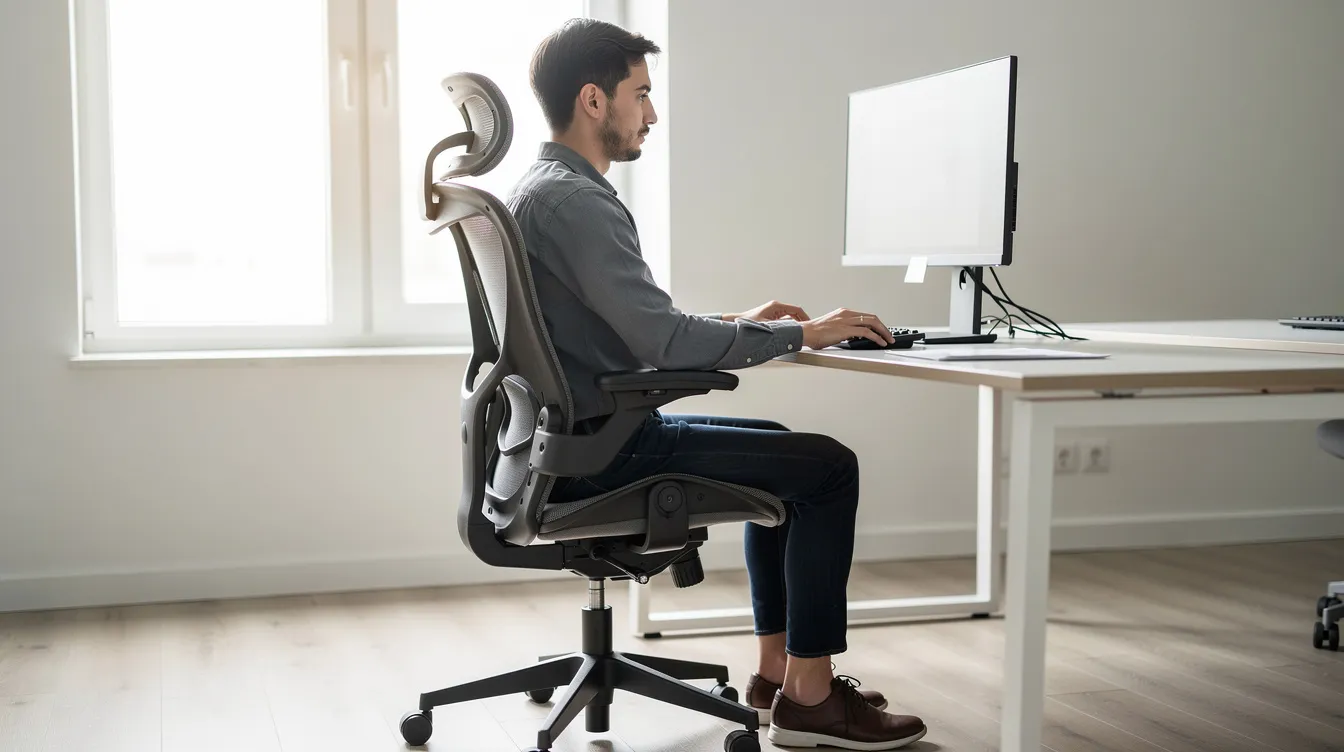
- Seated posture:
- Maintain a neutral spine - gentle natural curves, no slouching.
- Hips slightly above knees; feet flat on the floor or on a footrest.
- Back supported by a well-adjusted ergonomic chair, positioned close to the desk.
- Keyboard and mouse within easy reach so shoulders stay relaxed.
- Standing posture:
- Distribute weight evenly across both feet.
- It is important to maintain relaxed knees while standing to avoid discomfort - never lock them.
- Keep the pelvis in neutral; avoid exaggerating the arch in your lower back.
- Shoulders down and back, not hunched forward.
- Supporting accessories:
- Monitor arms and keyboard trays - common Ergoworks add ons - keep wrists neutral and screens at the desired height regardless of whether you are seated or standing.
- Supportive footwear and anti-fatigue mats can enhance comfort when standing, especially on hard flooring typical in Singapore offices.
- Choosing the Right Sit-Stand Desk for Your Space
- Before you purchase a new desk, work through these decision factors:
- Space available: a compact home office may only fit a 1200 × 600 mm top, while a trading or design workstation needs more room for multiple monitors.
- User height range: shared workstations must accommodate the shortest and tallest users on a floor.
- Equipment weight: if you run dual monitors, a large CPU, and peripherals, you need a desk rated above 80–100 kg.
- Single vs shared systems: Ergoworks' Dual Benching Electric Desk and Back to Back Electric Height-Adjustable Desk let two people sit face-to-face, each controlling their own desk height independently. These are built for open-plan offices where density and collaboration matter.
- Height-adjustable desks allow ergonomic customization for users of all body types - that is the whole point of moving away from fixed-height furniture.
- What is available in the Singapore market:
- The market for the best standing desks in Singapore is competitive. Interdesk offers customizable desk lengths from 80 cm to 200 cm. The Uplift V3 has over 30 desktop options available. TakeASeat offers over 100 tabletop designs across 9 models, and MyDesk.sg provides hundreds of customization options for desk aesthetics. Ergoworks, as a local brand, focuses on fully customisable options including tabletop finishes, frame colours, cable trays, and privacy screens - all backed by local delivery, assembly, and warranty support across Singapore.
- Facility managers should consider future expansion and customization options at the procurement stage so that many desks can be reconfigured without full replacement.
- Electric Standing Desks vs Manual Solutions
- The two main types of sit stand desk are electric (motorised lift) and manual (crank, gas-lift, or converter).
- Electric standing desks - advantages:
- Precise, millimetre-level control of the desk's height.
- Quick transitions - typically under 20 seconds for full travel.
- Programmable presets make shared use seamless; each user recalls their preferred heights with one tap.
- Higher weight capacity, suited for heavy duty corporate loads.
- Most standing desks operate at noise levels around 50 to 60 dB, comparable to a quiet conversation - sound is rarely an issue in an open office.
- Manual crank / gas-lift desks:
- Cheaper upfront but slower and more effortful to raise or lower.
- Narrower adjustable height ranges and lower weight ratings.
- Less practical for shared workstations where height adjustments happen multiple times a day.
- Desk converters (sit on top of existing table):
- An interim option when you cannot replace office furniture, but stability and cable management are limited.
- Typically lower load capacity (e.g. ~25 kg).
- Ergoworks primarily recommends electric height adjustable solutions for long-term corporate deployments because they improve compliance and accessibility for a wider workforce. When a desk feels solid and transitions are effortless, people actually use it - which is the whole point.
- Stability, Load Capacity and Heavy-Duty Requirements
- A wobbly desk discourages standing and can damage expensive equipment over time. Stability at full height, under realistic load, is non-negotiable.
- Look for dual-motor or stronger frames with steel construction. Ergoworks' back-to-back models use Q235B carbon-steel frames rated for 100 kg per workstation - sturdy enough for dual monitors, a laptop, monitor arms, and under-desk storage.
- Many desks on the market claim high load capacity but test them at maximum height with actual equipment. A desk that feels solid at 70 cm may wobble at 120 cm.
- For heavy duty setups - trading floors, design studios, engineering workstations - target desks rated for 120–130 kg static load.
- During pilot deployments, test stability at full height with realistic loads, not just in an empty showroom.
- Ergoworks' Dual Benching Electric Desk is engineered for everyday heavy use in busy offices, with obstacle detection and safety lock features that prevent damage during height changes.
- Cable Management and Workspace Organisation
- Poor cable management is a safety and productivity issue. Cables that snag during height changes, dangle into walkways, or pile on the floor create trip hazards and visual clutter.
- Use under-desk cable trays to bundle power and data cables neatly along the frame.
- Vertical cable spines keep wiring organised from floor to desk level, absorbing the travel distance during height changes.
- Grommet holes in the tabletop let cables pass through cleanly without draping over the edge.
- Ensure all cables have enough slack (a "slack loop") so they do not stretch or disconnect when you raise or lower the desk.
- Ergoworks standing desk systems support matching add ons including cable management trays, CPU holders, and monitor arms to keep the workspace clear.
- For organisations, standardise a simple cable layout template across all sit-stand workstations. IT support and maintenance become far easier when every desk follows the same routing.
- Integrating Sit-Stand Desks into Corporate Wellness Strategy
- A sit stand desk is one pillar of broader corporate wellness, not a stand-alone gadget purchase. Without context - training, culture, follow-up - even the best standing desks end up locked in the seated position permanently.
- Ergoworks partners with organisations in Singapore to combine ergonomic standing desks with Ergonomic Talks, Ai Posture Analysis, and WSH-compliant office fit-out solutions that address the full workspace.
- Recommended steps for HR and WSH teams:
- Conduct a needs analysis: map job roles, existing pain complaints, and equipment requirements.
- Run a pilot with a few departments (10–20 desks) to validate product choices and gather feedback.
- Collect posture and comfort data through surveys and, where possible, Ai posture tools.
- Roll out with structured training and internal communications so every employee knows how to adjust their desk and why it matters.
- Measurable outcomes to track:
- Reduction in musculoskeletal discomfort reports.
- Fewer medical leave days related to neck and back pain.
- Improved employee satisfaction and well being scores.
- Review every 6–12 months to refine sit-stand policies and workstation setups.
- Home Office Sit-Stand Guidance
- Setting up a sit stand desk at home in Singapore comes with unique constraints: limited floor area, shared or multi-purpose rooms, and neighbours who might hear motor vibrations through thin apartment walls.
- A compact electric standing desk like Ergoworks' Signature Standing Desk Lite, with a 1260 mm wide top, fits comfortably in most HDB study rooms or bedroom corners. This is a good starting size for a single-user home office.
- Position the desk near natural light but angle the monitor to avoid screen glare. Leave enough clearance behind and above for full-height movement - check ceiling fans and shelves.
- Ensure a power outlet is accessible without running cables across doorways or under carpet. Cable strain during height changes is a common problem in home setups.
- Prioritise an ergonomic chair and a monitor arm alongside the desk, even in a small room. A personalized experience comes from matching all three - desk, chair, and screen - not just one component.
- For noise and vibration management in apartments: use rubber feet under the frame legs, test the motor before finalising desk placement, and avoid direct contact between the desk frame and walls.
- Style matters at home. Many desks now offer solid wood or MFC tabletop finishes that look good in a living space, not just an office.
- Training Employees to Use Sit-Stand Workstations
- Providing sit-stand desks without training leads to predictable outcomes: the desk stays at one height, money is wasted, and posture problems persist.
- Components of an effective training session:
- A 20–30 minute Ergonomic Talk covering posture basics, the importance of movement, and how to adjust desk and chair correctly.
- Hands-on practice: every attendee adjusts their desk to sitting and standing heights, saves presets, and verifies monitor and keyboard position.
- A printed or digital quick-start guide at each workstation for ongoing reference.
- Ongoing reinforcement:
- Ergoworks offers professional ergonomic advisory services and Ai Posture Analysis that can personalise guidance for different body types and roles.
- Include sit-stand tips in quarterly wellness newsletters or your company intranet.
- Create sit-stand "champions" in each department - colleagues who can help others adjust their desk and model good practices.
- Common Mistakes When Using Sit-Stand Desks (and How to Fix Them)
- Minor usage errors can negate many of the benefits of even the best standing desks. Here are the most frequent mistakes and their one-line fixes.
- Standing for long unbroken periods on a new desk. Fix: start with 20–30 minutes per hour and increase gradually. Standing encourages movement and improves circulation, but only if you move - shifting weight, walking briefly - rather than standing rigidly.
- Desk height too high or too low, causing shrugged shoulders or wrist extension. Fix: use memory presets to lock in the correct height once an ergonomic assessment is done.
- Leaning on one hip or locking knees. Fix: distribute weight evenly and keep a slight bend in both knees.
- Monitors too low or too far away. Fix: raise the monitor so the top of the screen is at or slightly below eye level. A monitor arm makes this adjustment simple, especially when switching between sitting and standing.
- Ignoring foot comfort and flooring. Fix: stand on an anti-fatigue mat and wear supportive shoes, not flip-flops.
- Forgetting about the chair. Fix: a capable ergonomic chair with lumbar support is half the equation; sit-stand is not "stand-only."
- Set a monthly calendar reminder to review your posture and desk settings. If persistent discomfort appears, report it to HR or an ergonomic consultant for further assessment rather than pushing through pain. The last thing you want is to develop a chronic issue from a fixable setup error.
- Planning and Scaling Sit-Stand Desk Deployment in Organisations
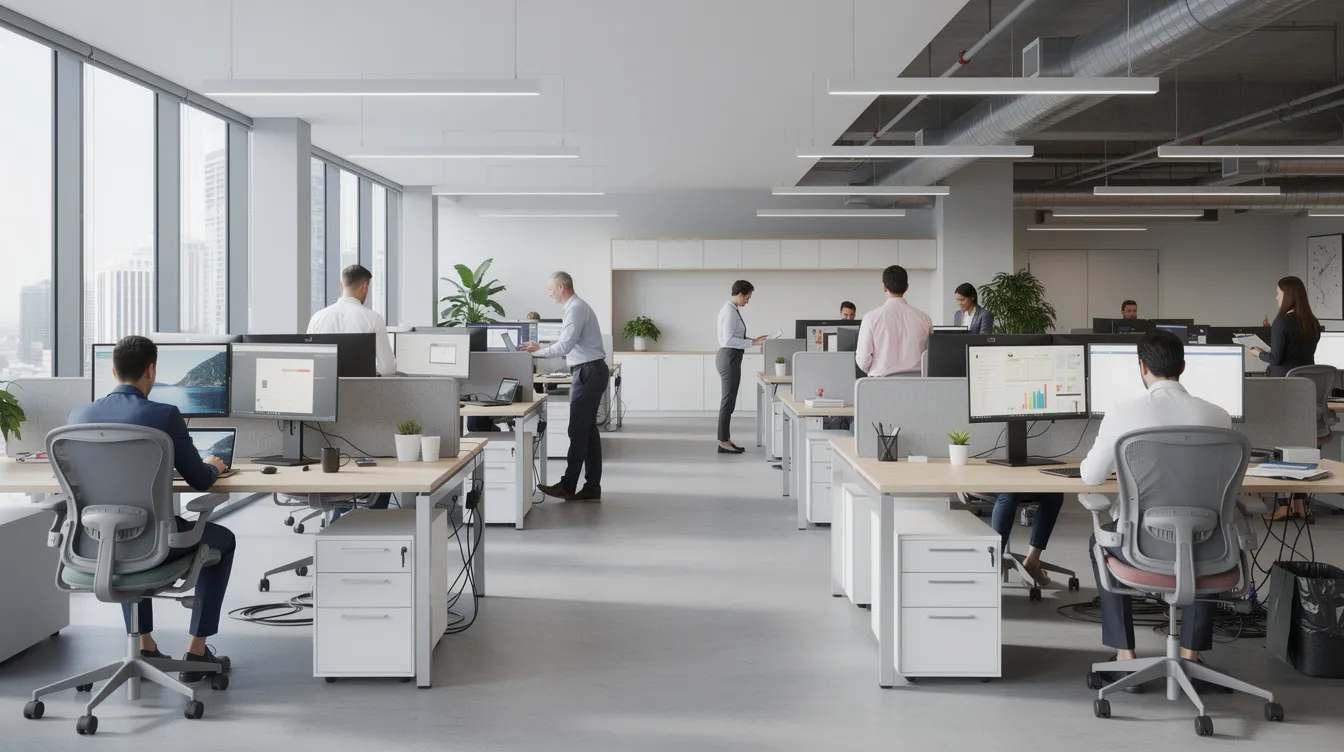
- Large-scale sit-stand adoption requires coordination across IT, HR, facilities, and finance. Treating it as a furniture purchase alone is where most rollouts lose momentum.
- Staged rollout: start with a pilot of 10–20 desks in 2–3 departments. Evaluate usage patterns, comfort feedback, and IT integration (cable routing, power distribution). Then scale floor by floor.
- Modular benching systems like Ergoworks' Dual Benching Electric Desk and Back to Back Electric Height-Adjustable Desk are ideal for dense office layouts. Independent height controls mean two users sharing a bench can each raise or lower their side without affecting the other.
- Budgeting: total cost of ownership includes the desk, installation, cable management add ons, power distribution modifications, and potential future reconfiguration. Factor these in from the start so there are no surprises.
- RFP considerations: include service and warranty expectations - on-site support, spare parts availability, installation lead times within Singapore. Ergoworks offers local delivery, free installation, and multi-year warranties on frames and motors, which matters when you are managing hundreds of workstations.
- Visit our showroom before committing to large orders. Testing build quality, stability under load, and motor sound in person is far more informative than reading spec sheets.
- When to Seek Professional Ergonomic Assessment
- Generic sit-stand guidance works well for most people. But some staff need tailored advice due to pre-existing conditions or complex task demands.
- Engage a professional assessment when:
- Employees have chronic back, neck, or shoulder pain that does not resolve with standard desk and chair adjustments.
- High-risk roles involve intensive computer use exceeding 6 hours per day - these users need more precise monitor, keyboard, and desk height calibration.
- Return-to-work planning after injury or surgery requires workplace modifications.
- Large corporate fit-ups or office redesigns involving hundreds of workstations need systematic planning to cover different body types, job roles, and space constraints.
- Ergoworks' consultants assess desk configurations, chair settings, monitor placements, and movement patterns - using Ai posture tools where appropriate - to deliver a personalized experience for each worker. Integrating these assessments into onboarding for new joiners in computer-heavy roles is a smart, low-cost investment that pays for itself in reduced medical leave and higher productivity.
-
The whole point of sit-stand guidance is not to stand all day. It is to move more, sit better, and build habits that protect your health and well being over the long term.
- If you are ready to explore electric standing desk options for your company or home office, browse Ergoworks' full range of ergonomic standing desks, request a quote for corporate deployment, or book an Ergonomic Talk for your team. Your workspace - and your back - will thank you.