

Standing Workstation for Desk: How to Choose, Set Up, and Optimise Your Sit-Stand Workspace
A standing workstation for desk use replaces hours of static sitting with controlled posture changes throughout the day. For offices and home setups across Singapore, this guide covers every step: selecting the right standing desk type, configuring it for ergonomic positioning, and building daily habits that protect your back, wrists, and energy levels.
Key Takeaways for Busy Teams and Home Offices
Across Singapore's typical 9 am to 6 pm workday, many employees sit for 7 to 10 hours. Using a standing workstation improves health and productivity by reducing prolonged sitting. Sit-stand workstations can cut sedentary time by 60 to 90 minutes per workday, which research links to reduced back pain, better posture, and improved circulation.
This guide is for office managers, HR leaders, facility planners, and individual users. Here is what you need to know before reading further:
- Who it covers: anyone choosing between electric standing desks, desk converters, and benching systems for corporate offices or home setups.
- Health gains: standing desks enhance blood circulation and reduce fatigue; regular use of standing desks can lower blood sugar levels; multiple studies suggest sit-stand desks can reduce workplace sitting by over an hour per day.
- Productivity edge: fewer afternoon slumps, better alertness during long hours of video calls, and smoother collaboration in standing huddle areas.
- Ergoworks' role: a local brand offering B2B and B2C ergonomic solutions in Singapore, including electric standing desks with built-in cable management, MFC tabletops, free on-site installation, and ergonomic advisory services.
- Three factors to track: correct height range for your users, reliable adjustment mechanisms (dual-motor electric frames preferred), and cable management solutions that prevent tripping hazards.
What Is a Standing Workstation for Your Desk?
A standing workstation is any desk or workspace system that lets you alternate between sitting and standing during your workday. Three main formats exist:
- Full electric standing desk: a motorised height adjustable desk with programmable presets, such as the Ergoworks Signature Standing Desk Lite.
- Adjustable desk frame: a height-adjustable frame paired with your choice of tabletop material and size.
- Desk converter: a platform placed on top of an existing table, raising your monitor and keyboard to standing height without replacing the desk itself.
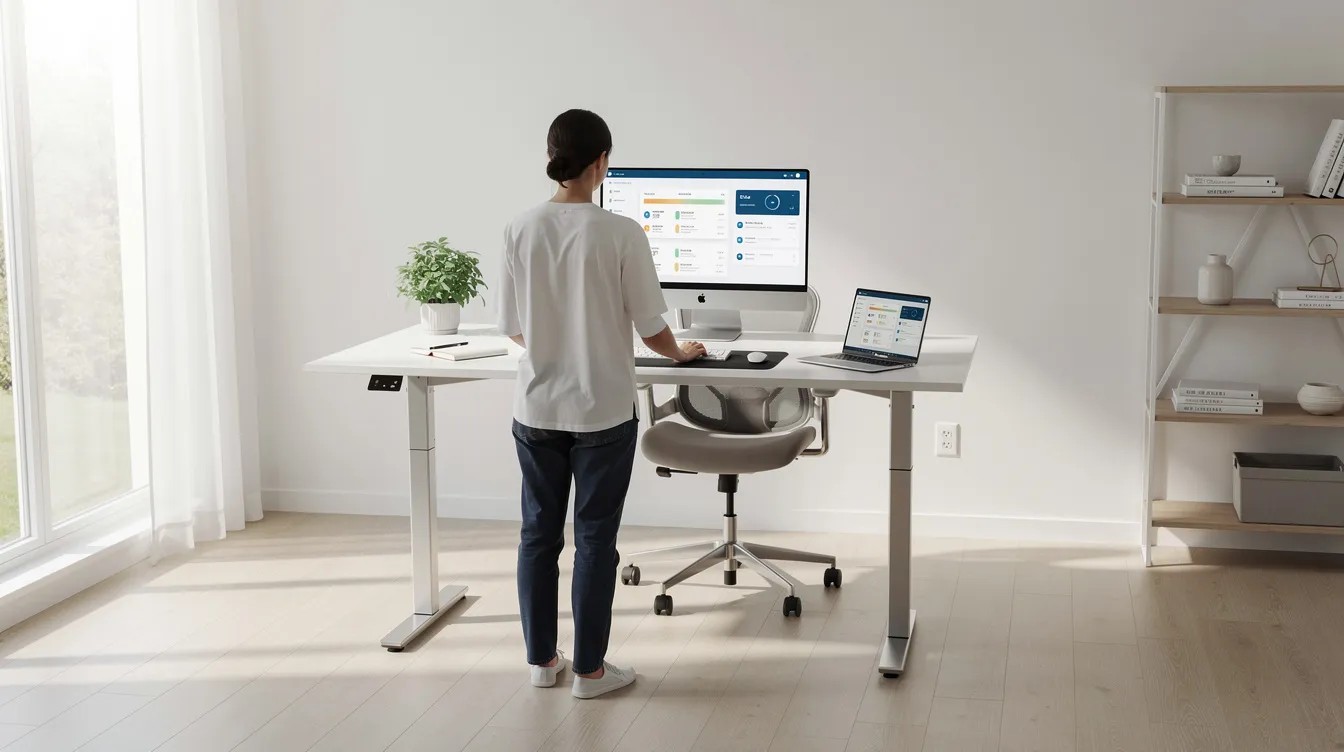
The main components of any standing workstation include the height-adjustable frame (typically steel), a tabletop (MFC in finishes like light oak or dark grey), a control panel with memory presets, and cable management features such as trays or grommets.
-
Sit-stand desks vs fixed-height counters: fixed desks lock you into one posture for an entire 8 to 10 hour day. Sit stand desks let you change position every 30 to 60 minutes, which reduces strain on your lower back and shoulders.
|
Workspace Type |
Recommended Solution |
Why |
|---|---|---|
|
Home office |
Compact full desk or desk converter |
Single user, lighter loads, limited space |
|
Hot-desking / coworking |
Full electric desk with wide height range |
Multiple users at various preferred heights; easy presets |
|
Corporate floor |
Benching systems (back-to-back or dual bench) |
Consistent ergonomic design, durable frames, shared cable trunking |
Types of Standing Workstations: From Desk Converters to Full Electric Standing Desks
The market for standing desks spans a wide range, from small desk risers to full-floor benching installations. Standing desks can have custom lengths from 80cm to 200cm, so there is a fit for nearly every room. Here are the main categories:
- Desk converters: compact platforms that sit on your existing desk and raise your keyboard and monitor to standing height. They suit tight spaces, shared offices, and situations where replacing furniture is impractical. A desk converter is the lowest-cost entry point, though it offers less surface area and a narrower height range than a full adjustable desk.
- Single-user electric standing desks: the Signature Standing Desk Lite from Ergoworks is a ready-stock example. It features dual-motor electric standing operation, programmable presets, and smooth transitions between sitting and standing heights. Electric standing desks allow smooth height adjustments at the push of a button, removing the friction of manual cranks.
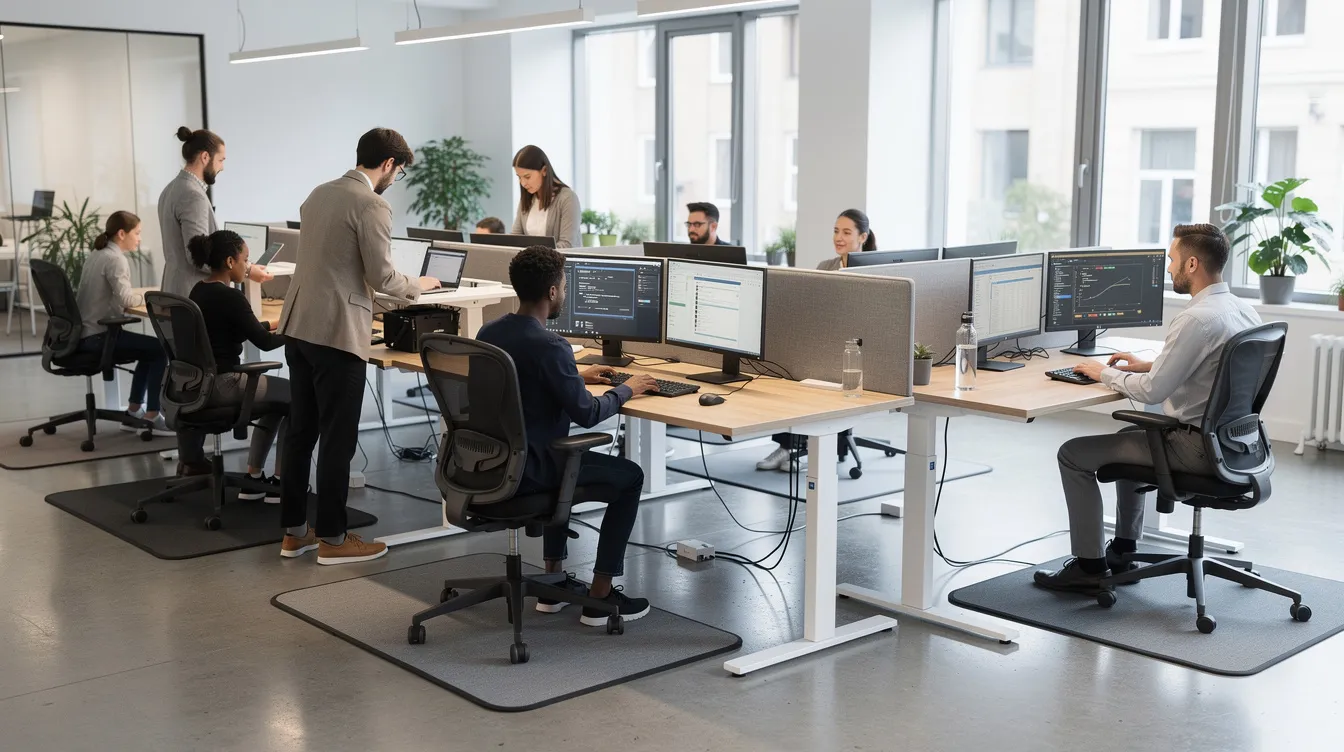
- Shared workstation systems: the Back to Back Electric Height-Adjustable Desk and Dual Benching Electric Desk serve open-plan offices where two or more colleagues share a spine but operate independent sit-stand controls.
- Corner and L-shaped options: the L-Shaped Extended Standing Desk with a customised MFC tabletop provides extra workspace for multiple monitors, drafting, or trading setups.
- Mini or compact models: narrower desks for small rooms, student setups, or single-laptop use. Some are mobile workstations on casters, useful for flexible training rooms or hot-desking.
Health and Productivity Benefits of a Sit-Stand Desk
Prolonged sitting in Singapore offices contributes to neck, shoulder, and lower-back disorders. Prolonged sedentary behaviour increases the risk of cardiovascular disease, and a 2022 cardiometabolic trial in overweight office workers found that reducing sitting by roughly 90 minutes per day over 24 weeks improved triglyceride levels, insulin resistance, and vascular function.
Physical health gains:
- Standing desks reduce risks of obesity and heart issues. Standing burns approximately 100 to 200 calories per hour, so weight management can be assisted by increasing daily energy expenditure through standing.
- Interrupting sitting with standing helps blunt blood sugar spikes; regular use of standing desks can lower blood sugar levels over time.
- Regular movement is linked to a lower risk of type 2 diabetes and cardiovascular disease.
- Improved blood flow can enhance cognitive function and productivity across the workday.
Productivity and cognitive benefits:
- Using standing desks can boost mental clarity and productivity. Workers in a 2024 systematic review reported fewer afternoon slumps and better alertness when alternating posture every 30 to 45 minutes of sitting with 15 to 20 minutes of standing.
- Height-adjustable desks can improve productivity by reducing fatigue, particularly during long working hours.
Limitations to note: a standing desk is not a guaranteed treatment for back pain. Some users report discomfort when standing too long without an anti fatigue mat or supportive footwear. The strongest benefits come from alternation, not from standing all day.
Core Features to Look For in the Best Standing Desks
Not all standing workstations perform equally. Knowing the key features separates the best standing desks from equipment that wobbles, jams, or fails within a year.
Height range: BIFMA recommends a height range of 22.6 to 48.7 inches (roughly 57 to 124 cm). Many standing desks can adjust from 60cm to 120cm in height; Ergoworks' Signature Desk Lite extends from 60 to 125cm, covering users from about 150cm to 190cm tall. This range matters for shared desks in hot-desking offices where users cycle through various preferred heights throughout the day.
Adjustment mechanisms: manual desks use hand cranks or gas springs; they cost less but require effort and time. Electric desks allow smooth height adjustments at the touch of a button, and dual-motor systems provide the fastest, quietest operation. Quiet motors are essential for minimising noise during height adjustments; the Ergoworks Signature Lite operates under 50 dB. Competitors offer their own approaches: the Omnidesk Ascent, for example, allows saving up to four preferred height settings, and MyDesk.sg offers built-in cable management and keyboard trays as part of their desk packages.
Stability and load capacity: stability is crucial for standing desks to prevent wobbling during use, especially with heavy dual-monitor setups. Standing desks should support a weight capacity of 130kg. Dual motors in desks can provide better load handling and stability than single-motor alternatives. Look for a sturdy frame made from steel with wide-set legs.
Cable management: built-in cable management through under-desk trays, grommets, and spine channels prevents clutter and tripping hazards. Cable management solutions are non-negotiable for desks that move up and down; slack loops and flexible conduits keep cords safe during height changes.
Usability: programmable memory presets (typically 4 settings), anti-collision sensors, and child-lock options for home offices. An intuitive control panel lets users adjust between sitting and standing positions in seconds.
Finish and colour: Interdesk offers over 20 tabletop colours and finishes across their range. Ergoworks provides MFC tabletops in dark grey, light oak, maple, and cherry cappuccino, with black or white powder-coated frames. Darker tones hide wear; lighter finishes make small rooms feel more open. Height-adjustable desks promote better posture and reduce back pain, but only if you actually enjoy using the desk at your workstation every day; aesthetics play a role in adoption.
Ergoworks Standing Desk Solutions for Different Workstyles
Ergoworks is a Singapore-based ergonomic specialist serving enterprises and home users with ergonomic standing desks designed around posture science and workplace safety standards.
- Signature Standing Desk Lite: a ready-stock electric standing desk with a durable MFC tabletop. Height range of 600 to 1250mm, 130kg load capacity, dual motors, and anti-collision sensors. Ideal for home offices and single users who need a reliable desk without long lead times.
- Back to Back Electric Height-Adjustable Desk: built for open-plan offices where two colleagues sit across from each other. Each user controls their own height independently via a Q235B carbon steel frame. Central cable management spine keeps wiring tidy.
- Dual Benching Electric Desk: a scalable benching system for large teams. Shared tabletop or spine with independent height control per station. Clean look, consistent ergonomics across a department, and shared cable trunking that simplifies IT setup.
- L-Shaped Extended Standing Desk (customised MFC tabletop): suits executives, creatives, and traders who need surface area for multiple monitors and peripherals. The returning wing provides room for storage, drafting, or a secondary screen.
- Customisation options: Ergoworks provides fully customisable options for dimensions, tabletop finishes (including dark grey and wood grains), frame colours, grommet placements, and accessory bundles for corporate fit-ups. These are paired with ergonomic advisory and posture analysis services to suit each workspace.
How to Choose the Right Standing Workstation for Your Space
Needs differ between a 1-bedroom HDB home office, a startup co-working area, and a 50-seat corporate floor. Here is how to narrow your decision:
- Measure your room: check existing desk footprint, wall clearances, and door swing arcs. An L-shaped desk needs corner depth; a benching system needs aisle width for chair rollback.
- Profile your users: single user vs shared workstation, height differences across the team, type of work (coding, design, trading, call-centre), and accessibility requirements. Wider height ranges suit diverse teams.
- Budget vs lifespan: a reliable electric standing desk costs more upfront but lasts 5 to 10 years with warranty coverage. Low-cost manual desks may degrade faster and lack motor warranties.
- IT integration: map out power points, data cables, monitor arm mounting positions, and CPU holder placement before ordering. Tidy cable runs start at the planning stage.
- Desk converter vs full desk: choose a converter when you have heritage furniture that cannot be replaced, a tight budget, or a very small room. Choose a full adjustable desk when you need a wider height range, heavier load support, or consistent ergonomic design across an office floor.
Setting Up Your Standing Workstation Ergonomically
Proper ergonomic setups reduce discomfort associated with prolonged sitting. Follow these steps on day one.
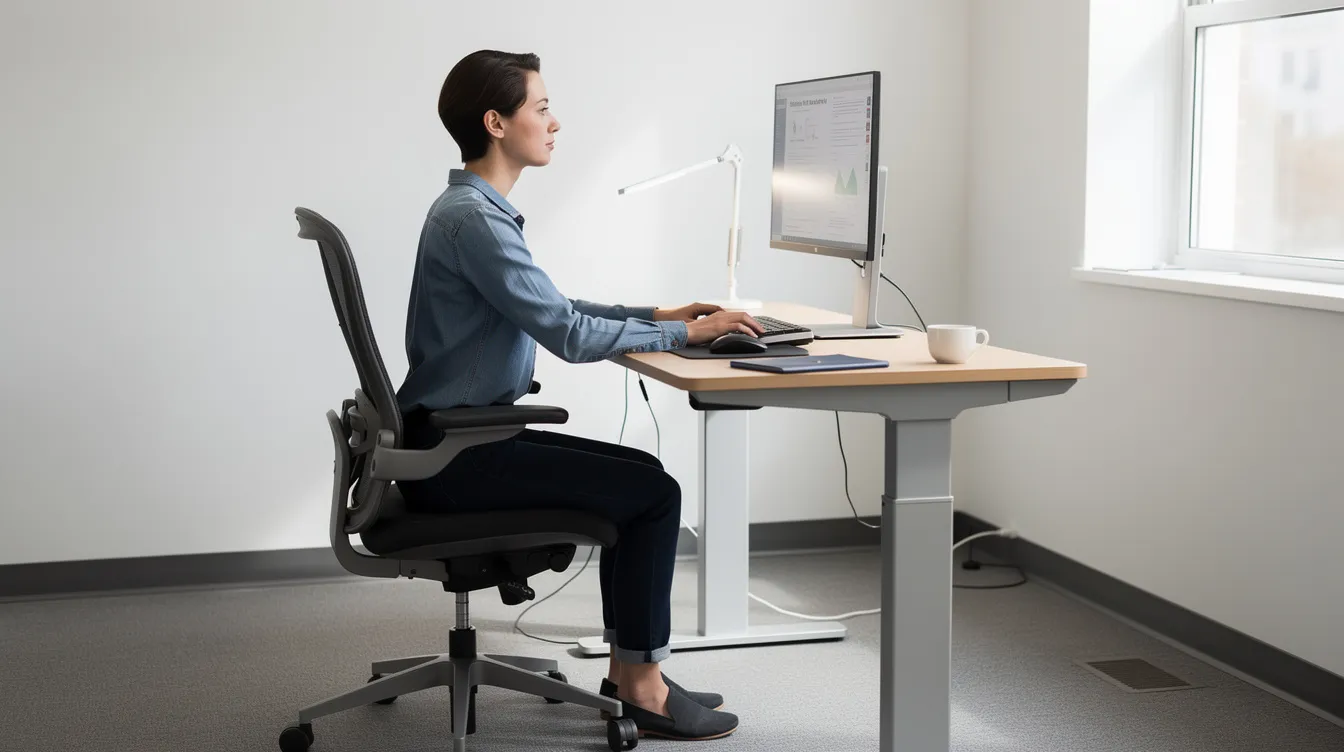
- Desk height: adjust desk height for 90-degree elbow angles while typing. Wrists should stay straight and shoulders relaxed. Save separate presets for your sitting and standing positions.
- Monitor position: your monitor should be at or slightly below eye level, about 50 to 70cm from your eyes. A monitor arm lets you fine-tune height and depth without restacking books.
- Keyboard and mouse: place the keyboard flat or with a slight negative tilt. Keep the mouse close to the keyboard. Laptop users should connect an external keyboard and use a laptop stand to raise the screen.
- Reach zone: arrange frequently used items (phone, notebook, water bottle) within arm's length. On larger L-shaped setups, dedicate one wing to your primary monitor and keyboard, the other to support or storage.
- Cable management: route power strips under the tabletop using cable trays. Clip excess cord length with Velcro ties. Use grommets to pass cables through the desk surface cleanly. Leave slack loops so cables do not pull tight when the desk moves.
Quick checklist: elbow angle at 90 degrees in both positions; monitor top near eye level; feet flat on the floor or on a footrest; preset buttons saved; cables secured with room to move.
Ergonomic designs can alleviate stiffness during long work sessions, but only if the setup matches your body. Revisit these settings whenever you change your chair or add equipment.
Accessories That Complete a Standing Workstation
A standing desk performs best when paired with the right ergonomic accessories. Each item below solves a specific comfort or safety gap.
- Ergonomic chairs: even with a sit stand desk, you will sit for part of the day. Choose a chair with adjustable lumbar support and seat height that matches your desk's sitting preset. Ergoworks' ergonomic chairs are designed to complement their standing desk range.
- Anti-fatigue mats: ergonomic accessories like anti-fatigue mats improve comfort during standing, especially on hard tile or concrete floors common in Singapore offices. They reduce strain on knees, calves, and lower back during longer standing periods.
- Monitor arms, laptop stands, CPU holders: these free up desk space, support better posture, and keep equipment secure when the desk changes height. A monitor arm is highly recommended for anyone using multiple monitors.
- Cable management products: trays, spine conduits, cable clips, and integrated grommets keep everything tidy and reduce hazards. MyDesk.sg provides custom-made optional drawers for desks; Ergoworks similarly offers accessory bundles to match MFC tabletop finishes.
- Storage accessories: pedestals and mobile drawers that match your tabletop colour maintain a clutter-free workstation and keep documents within reach without crowding the desk surface.
Posture, Movement, and Daily Habits at a Standing Desk
Technology gives you the capability to stand; daily habits determine whether you gain the well being benefits. A standing desk can support more dynamic work routines and encourage movement, but only if you use it intentionally.
- Alternate between sitting and standing every hour. Some ergonomic guidance suggests a finer cycle: 20 minutes sitting, 8 minutes standing, 2 minutes stretching. Use preset buttons on electric standing desks to make transitions frictionless. Alternating between sitting and standing improves posture over time.
- Micro-movements while standing: shift weight between legs, use a footrest to shift weight while standing, or place one foot on a low bar. Roll your ankles and do calf raises to keep blood flowing.
- Stretch every 30 minutes to reduce fatigue. Neck rolls, shoulder shrugs, and wrist rotations are discreet enough for open offices.
- Listen to fatigue signals. Soreness in calves or feet, numbness in legs, or shoulder tension means you should shorten standing intervals, adjust your anti fatigue mat, or check your footwear.
Regular movement throughout the day is linked to better energy levels and increased productivity. Ergoworks offers ergonomic talks and AI posture analysis sessions as corporate services that help employees build sustainable habits and track improvement over time.
Ergoworks Corporate Services: From Single Desks to Full Workplace Fit-Ups
This section is for HR, facilities, and procurement teams planning larger rollouts.
- Bulk procurement: Ergoworks supplies dozens to hundreds of electric standing desks, benching systems, and ergonomic chairs per project, with phased installations across multiple floors.
- Ergonomic advisory: workstation audits, layout planning, and product recommendations tailored to your industry (finance, tech, education, healthcare). Advisors reference WSH-compliant guidelines specific to Singapore regulations.
- Value-added services: Ergonomic Talks (in-person or virtual), AI Posture Analysis sessions, and customised workspace design consultations.
- Logistics and installation: free or bundled on-site setup, cable routing, and motor testing so users can work immediately after delivery.
- Case example: a financial services firm in Singapore replaced 40 fixed desks with Back to Back Electric Height-Adjustable Desks. After 12 weeks, employees reported an average reduction of work-hour sitting time by roughly 75 minutes per day. Comfort satisfaction scores rose by 30%, consistent with published trial data showing 80 to 90 minutes less sitting after 8-week interventions.
Frequently Asked Questions About Standing Workstations
How long should I stand at my desk each day?
Build up gradually. Start with 15 to 20 minutes of standing per hour, then extend over weeks. A common guideline from the University of Toronto's sit-stand guidance sheet suggests a 20-minute sit / 8-minute stand / 2-minute stretch cycle repeated throughout the day. Standing all day creates its own problems; the goal is regular movement, not marathon standing.
Is an electric standing desk noisy or disruptive in a shared office?
Dual-motor electric desks typically operate under 50 dB, comparable to a quiet conversation. Quiet motors are essential for minimising noise during height adjustments in open-plan offices. Anti-collision sensors add a brief pause if the desk meets an obstruction, but this rarely triggers in normal use.
Do I need special cable management for an adjustable desk?
Yes. A desk that travels 60cm vertically will pull on any cable plugged into a fixed wall outlet. Use under-desk trays to hold power strips, grommets to route cables through the surface, and flexible conduits or slack loops to absorb the height change safely.
What tabletop size and colour should I choose?
Common MFC tabletop widths run from 1000mm to 1800mm, with depths of 600 to 800mm. Dark grey and light wood grains are popular in Singapore for both home and corporate settings. Darker finishes hide daily wear; lighter tones suit smaller rooms. Consider matching your build quality and frame colour (black or white) to existing office furniture.
Can Ergoworks support large corporate rollouts?
Yes. Ergoworks handles bulk quoting, warranty support across many units, on-site installation, and ergonomic advisory for rollouts of 10 to 500+ desks. Their range of Back to Back, Dual Benching, and single-user desks provides customization options to cover various tasks across departments, with consistent finish and performance across every workstation.
Whether you are outfitting a single home office or a 50-seat corporate floor, the right standing workstation turns idle sitting hours into active, posture-friendly work time. Browse the full range of Ergoworks ergonomic standing desks, or request a quote for a bulk rollout with free installation and ergonomic advisory included.